Ask past customers to book again, right when they are due.
Time To Connect emails the people on your list when their next visit is due. One list, two starter emails, nothing to set up. Made for cleaners, detailers, groomers, window and pool crews, mechanics and tutors.
Free for now. Email only. No calendar to connect.
Remind them at the right moment.
You did a good job, and then life got busy. A short note when the next visit is due makes it easy to say yes. Writing that note to each person, every time, is easy to put off.
How it works
Step 1. Add your customers
Type them in, or upload the CSV your current tool exports. You need a name, an email, what you did for them, the date, and how often they come back.
Step 2. Time To Connect emails them when they are due
A short, friendly email goes out under your business name, with replies coming straight to you. Two starter emails are ready on day one; change the words any time.
Step 3. They pick days, you book them
The email has a button to a simple page where they choose days that suit them. You get an email, you reply and book. When they are booked, mark them rebooked and the reminders stop.
What you get
- Nothing to set up
- Two starter emails and a sensible schedule are ready when you sign in. Add customers and confirm they are yours to email.
- Stops when it should
- Reminders stop the moment you mark someone rebooked or they unsubscribe. An unsubscribe is final and cannot be undone by accident.
- Built for a phone
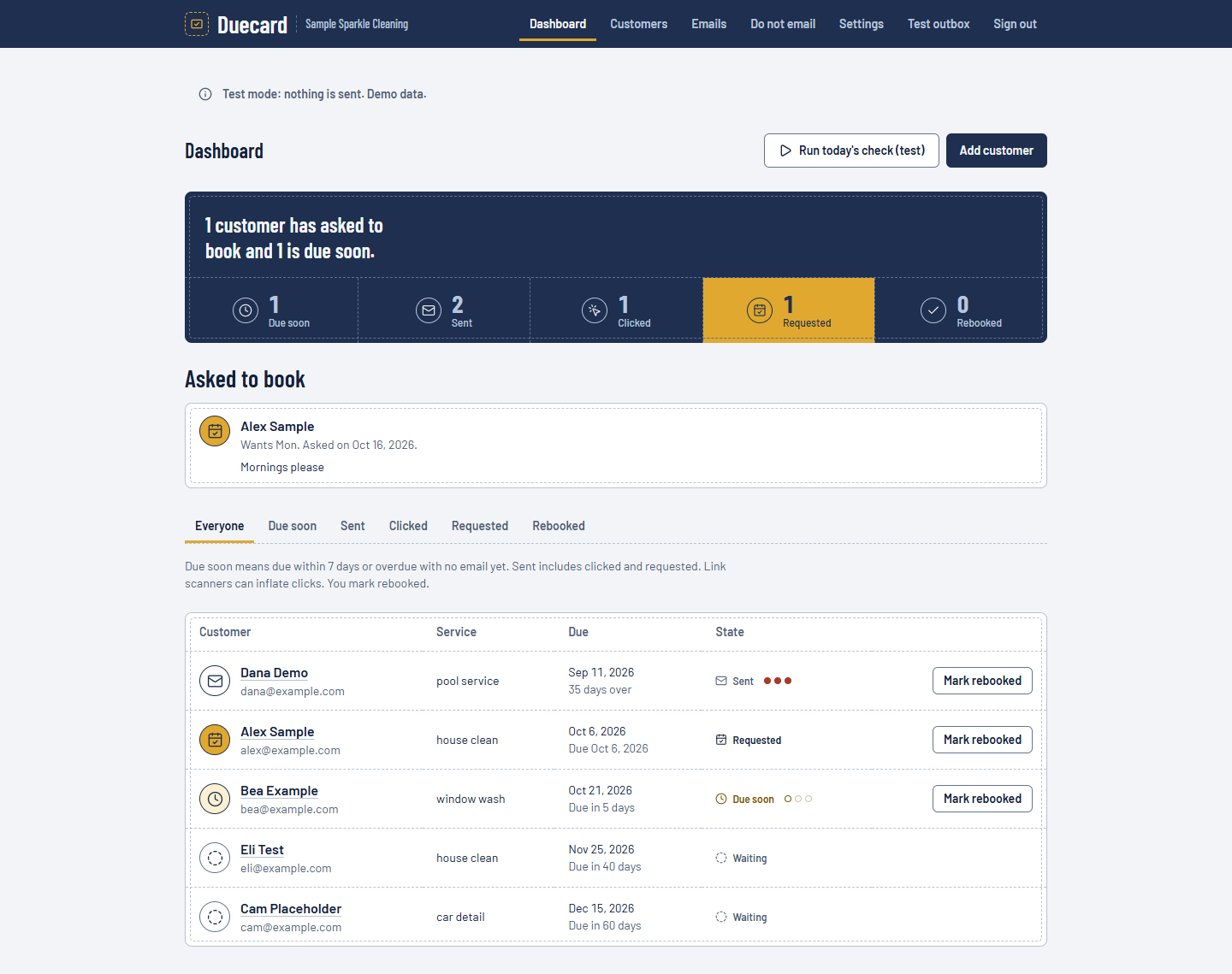
- Check who asked to book, who is due and who is overdue between jobs. Customers do the same on theirs, with no account.
- Plain numbers
- Five counts with a plain sentence on top, and a note saying exactly what each one means, including that link scanners can inflate clicks.
- Your list stays yours
- Export your customers as a CSV any time. Delete your account and everything goes with it.
- Respects the inbox
- Your business name as the sender, your address in the footer, a one-click unsubscribe in every email, and a limit on how many go out in a day.
Price
Free for now. Paid plans may come later.
Questions
- Can I bring the list I already have?
- Yes. Any tool or spreadsheet that can export a CSV works. You match the columns, choose the date format, and see any problems row by row before anything is imported.
- Does it send texts?
- Not yet. It sends email only for now.
- Does it connect to my calendar?
- Not yet. It works from your list, so it fits whatever you already use.
- What does it cost?
- It is free for now. Paid plans may come later.
- Do my customers need an account?
- No. They open the link in the email and pick days.
- What about my customers' privacy and consent?
- You confirm these are your existing customers and you may email them, and Time To Connect records when you did. Every email carries an unsubscribe link. This is not legal advice; read the privacy page and ask a lawyer if you are unsure.